Powerwall 3 Battery Backup
Tesla Powerwall Installation in Florida
Keep the important things running. Start with a backup plan built around your home.
SunVena installs Tesla Powerwall 3 for Florida homeowners adding new solar, upgrading an existing solar system, or choosing battery backup without solar panels. Tell us what you want to keep powered, and we will help you compare the right battery configuration, installation scope, and cost.
- Tesla Premier Certified Installer
- 1,000+ Powerwall installations in Florida
- In-house installation team
Backup Planning
What Do You Want to Keep Running During an Outage?
A refrigerator, a few lights, and your Wi-Fi need a different backup plan than a home running central air conditioning, a pool pump, and an electric vehicle charger. We start with your priorities, then design around the equipment you want to support.
Protect the Essentials
Keep selected circuits available for refrigeration, lighting, fans, internet equipment, and device charging. Focusing on essential loads can help stretch stored energy further during a longer outage.
Include Air Conditioning
Powerwall 3 can support many central air-conditioning systems, but compatibility depends on the equipment’s starting requirements and the other appliances running at the same time. We review the actual system rather than assume every air conditioner of a certain size will work.
Plan for Whole-Home Backup
A whole-home configuration can give you access to more of your home’s circuits during an outage. The design still needs enough output and stored energy for your usage. Whole-home backup does not mean every appliance can run simultaneously or indefinitely.
We will explain what your proposed system can support, what may need to be managed, and how those choices affect backup duration.
Installation Options
Powerwall With New Solar, Existing Solar, or No Solar

Installing Solar and Powerwall Together
Plan electricity generation and battery storage as one system. Your panels produce energy during the day, while Powerwall stores available surplus for later use. A compatible system configured for backup can also use solar to power your home and recharge the battery during an outage.
We consider both sides of the design: the energy your household needs and the solar production available to serve the home and refill the batteries.

Adding Powerwall to Existing Solar
You may be able to add Powerwall without replacing your existing solar panels. Powerwall 3 supports integration with major solar inverter brands, but your equipment, electrical layout, and backup requirements still need review.
Even if another company installed your panels, ask SunVena to assess your options. Tell us whether the system is owned or leased and whether you already have batteries.
Already having solar does not necessarily mean you have outage protection. A conventional grid-connected solar system normally shuts down during a utility outage unless it has equipment designed for backup operation.
Installing Powerwall Without Solar
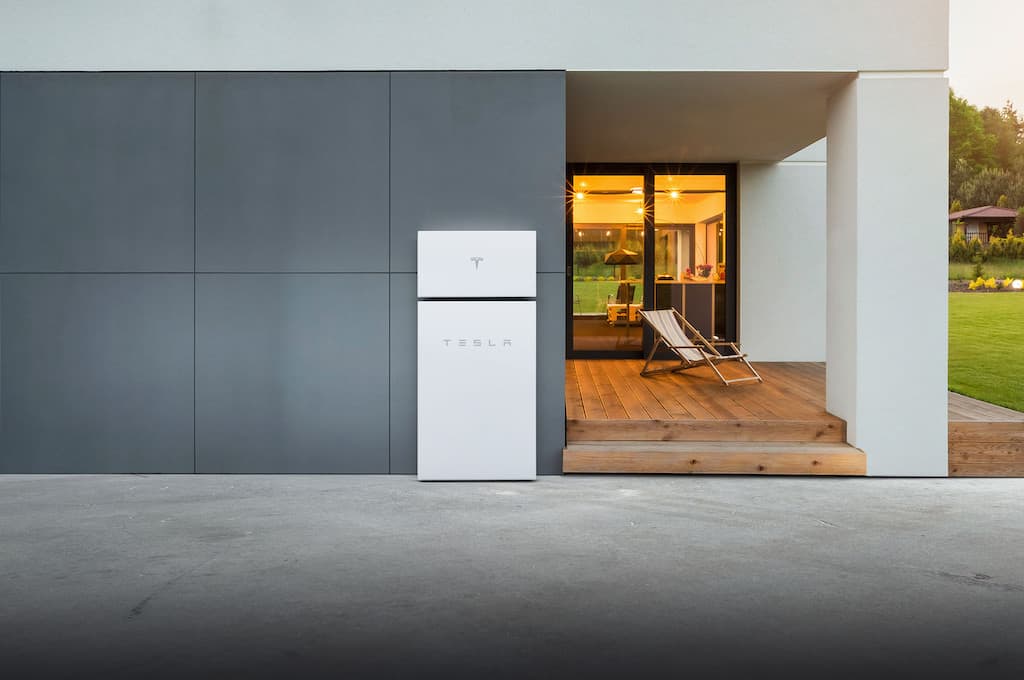
Solar panels are not required. Powerwall can charge from the grid and use that stored energy to supply your backed-up circuits when utility power is unavailable.
Without solar or another specifically approved charging arrangement, the battery cannot replenish its energy while the grid is down. Your available runtime depends on the charge at the start of the outage and what you use afterward.
Powerwall 3
Meet Powerwall 3
Powerwall 3 combines battery storage with an integrated solar inverter and can be installed as part of a new solar system, alongside compatible existing solar, or as a battery-only project.
13.5 kWh of nominal storage
Stored energy available for later use. Runtime depends on your loads and operating conditions.
Up to 11.5 kW of continuous AC output in standard configurations
Power to operate multiple household loads, subject to the installed configuration and equipment requirements.
Integrated solar inverter
Supports direct connection of compatible new solar, with other integration options for existing systems.
Expandable storage
Compatible Powerwall 3 Expansion units can add battery capacity.

Your proposal will identify the equipment and configuration selected for your home. Battery capacity, output power, and estimated backup duration should be explained separately.
Expansion Units
Need More Runtime? Compare Powerwall 3 Expansion Units
More stored energy and more output power are not the same upgrade.
Each Powerwall 3 Expansion adds 13.5 kWh of nominal storage but does not add another inverter or increase the system’s AC output. Another full Powerwall 3 adds both storage and additional output capability.
An Expansion may be the right fit when your system can already run the selected appliances but needs more energy to keep them running longer. A second full Powerwall may be appropriate when you also need to support more equipment at once.
Tesla supports up to three Expansion units in a compatible Powerwall 3 system. We will check the existing equipment and installation requirements before recommending an addition.
Not Sure How Many Batteries You Need?
Start with our Powerwall calculator to explore your backup goals, then review the result with SunVena. The calculator is a planning tool, not a substitute for checking your electrical equipment and actual loads.

Storm Preparedness
Prepare for Florida Storms With Storm Watch
When enabled and triggered by a qualifying severe-weather event, Tesla’s Storm Watch can prioritize charging Powerwall to its maximum available capacity before an outage. The Tesla app notifies you when Storm Watch activates, and the system returns to its normal settings after the event.
We help you understand Storm Watch and choose a backup reserve that fits your priorities. That reserve determines how much energy is normally held for a potential outage rather than used for everyday energy management.
Storm Watch is a preparation feature, not a promise of unlimited backup. A sound plan also considers prolonged cloud cover, reduced solar production, and which appliances you can limit during an extended outage.
Tesla App
See and Manage Your Energy in the Tesla App
See your battery’s charge level, household electricity use, and energy moving between your home, solar system, battery, and the grid. Available information depends on the installed equipment and metering.
You can also manage your backup reserve, review energy history, and use supported operating modes. We walk you through the settings that matter for your system so you understand how it behaves on an ordinary day and during an outage.

Can Powerwall Lower Your Electric Bill?
It can in the right circumstances, but savings depend on your utility rate plan, solar production, export credits, and how you use stored energy. A rate plan with more expensive peak periods may offer opportunities to shift electricity use to lower-cost times.
Not every Florida household has time-of-use pricing. We will review your actual bill rather than assume you have expensive evening rates. For some homes, backup protection is the main reason to add a battery, with bill savings playing a smaller role.
Why SunVena
Why Choose SunVena for Powerwall Installation?
An Experienced Tesla Installer
SunVena is a Tesla Premier Certified Installer with more than 1,000 Powerwall installations in Florida. You are working with a team experienced in designing and installing Tesla battery systems.
Our Own Installation Team
Your SunVena installation is completed by our in-house team, not subcontracted installation crews. We coordinate the design and engineering and explain the work required at your home.
A Recommendation You Can Understand
We explain why we recommend a particular number of full Powerwalls or Expansion units, what the system is designed to support, and what is included in the proposal. You should understand the differences between your options before choosing one.
Florida’s Top-Rated Solar Installer, Recognized Statewide & Locally
With 20,000+ solar and battery installations, SunVena is proud to be trusted by Florida homeowners. Recognition is third-party sourced and current as of October 2026.

Ranked #1 Best Solar Company in Florida & Highest-Rated for 2021-2026 by SolarReviews

#1 Most-Reviewed & Top-Rated Solar Installer in Florida on EnergySage (2,400+ Reviews | 5.0/5.0 Stars)

Orlando’s Best Solar Company Winner in 2026, placing first among 33 Central Florida solar companies

Accredited Business since 2020 with an A+ rating and a 4.99-star average from 575+ reviews on the BBB
Pricing
What Does Tesla Powerwall Installation Cost in Florida?
SunVena’s August 2026 Florida pricing guide lists approximately $14,000 to $16,500 for the first fully installed Powerwall 3. This is an installed-system planning range, not a battery-only equipment price. Your current, project-specific proposal will confirm the cost.
Your project cost depends on the battery configuration, required Gateway or Backup Switch, electrical work, installation location, permitting, and whether Powerwall is being added to new solar, existing solar, or a home without solar.
Ask for an itemized proposal showing the full Powerwalls, Expansion units, backup equipment, installation work, and any upgrades or exclusions. An additional unit does not necessarily cost as much as the first because parts of the installation may be shared.
Compare the Payment Options for Your Project
Ask about an outright purchase and financing options available for your proposed installation. For a combined solar-and-battery project, we can also discuss available solar financing arrangements. Eligibility and terms depend on the provider and project.
Compare the cash price, financed amount, fees, and total payments. Do not evaluate the system on a monthly payment alone.
Your Installation
What to Expect From Your Powerwall Installation
1
Consultation and Site Assessment
We review your backup priorities, electricity use, existing equipment, and installation location. Tell us about major loads, planned changes, and any existing solar, battery, or generator system.
2
System Design and Proposal
Your proposal identifies the recommended batteries, backup configuration, equipment, and electrical work. We explain the intended backup loads and the assumptions behind estimated runtime.
3
Permitting and Installation
We coordinate the applicable approvals and install the agreed system. Your electrical service, local requirements, and utility rules help determine the equipment arrangement and project schedule.
4
System Setup and Walkthrough
After the required approvals, we configure and test the system, help you access the Tesla app, and explain your operating settings and support contacts. Installation day and final activation are not necessarily the same date.
Warranty
Understand Your Powerwall Warranty
Tesla’s 10-Year Limited Warranty
Tesla provides a 10-year limited warranty for Powerwall 3 and Powerwall 3 Expansion. Its current U.S. terms include retention of at least 70% of the rated energy capacity at ten years, subject to the warranty’s operating conditions, exclusions, and other requirements.
Your Installation Protection
Your proposal will distinguish Tesla’s equipment warranty from the installation protection that applies to your project. If you are also purchasing solar, we will explain the SunVena Solar Guarantee for that portion of the work. The separate solar guarantee does not change Tesla’s 10-year Powerwall warranty.
Frequently Asked Questions
Tesla Powerwall Installation FAQs
How long will Powerwall run my home during an outage?
There is no single runtime that applies to every home. Battery capacity, starting charge, household consumption, and available solar recharge all matter. Running selected essentials generally uses less energy than maintaining normal whole-home activity. We will help you compare backup scenarios rather than promise a fixed number of days.
Do my solar panels have to be made by Tesla?
No. Powerwall 3 can work with compatible non-Tesla solar systems. The existing inverter, electrical design, and backup arrangement need assessment; the panel brand alone does not determine compatibility.
Can I add Powerwall 3 to a Powerwall 2 or Powerwall+ system?
Tesla does not support adding Powerwall 3 directly to a Powerwall 2 or Powerwall+ battery system. Powerwall 3 Expansion units are also intended for compatible Powerwall 3 systems. Share your existing model information so we can review appropriate options.
Will Powerwall still provide backup if my internet goes down?
Yes. Powerwall can continue operating in its last selected mode and provide backup during an outage, subject to available energy and system limits. Without an internet connection, remote app monitoring and software updates are unavailable. Extended disconnection may affect warranty coverage, so we help you plan suitable connectivity.
Where can Powerwall be installed?
Powerwall 3 is rated for indoor and outdoor installation. The appropriate location depends on clearances, mounting, electrical access, environmental exposure, and local requirements. We assess placement rather than assume every garage wall or exterior location is suitable.
Can I keep an existing backup generator?
Potentially. A generator and Powerwall require a compatible system design and transfer-equipment arrangement. Do not assume they can be connected directly or that an existing generator will charge Powerwall. Tell us about the generator before your proposal is prepared.
Does a new Powerwall installation qualify for the former 30% homeowner tax credit?
Not for a homeowner-purchased system placed in service after December 31, 2025. The IRS states that the Residential Clean Energy Credit is unavailable for property placed in service after that date, including battery storage. Your estimate should not automatically deduct the former credit. Ask a qualified tax professional about your individual circumstances.
Google Reviews
What Powerwall Owners Say About SunVena
Google reviews from SunVena Solar customers with Tesla Powerwall systems. Read more SunVena Solar reviews.
Ready for Hurricane Season
Sunvena once again did a great job, this time adding 2 Powerwall 3 Expansion units to my existing system. Polite, prompt and high quality service! My home’s ready for hurricane season!
Chris O.
Explained Everything in the App
I just had my solar panels and my Tesla batteries installed from Sunvena. Connor the tech was amazing he did a very clean install and also explained everything about the App and showed us everything it could do. I am absolutely thrilled by the equipment and the company Sunvena. If I could give them more than 5 stars I would.
Bruce L.
Very Professional Install
Connor, Devin, and Carlos can out and installed my Tesla power wall and they were very professional. Did a great job and would highly recommend.
Aaron R.
A Large Project Done Right
5 stars for the installers Connor, Dylan, and Julio who did a great job and were very helpful!! This was a large project with solar panels, 2 powerwall batteries and a smart panel. Excited that things are working in time for hurricane season!
Alan C.
Performing Perfectly
Very pleased with the service from Sunvena! My sales rep Javier was knowledgeable and responsive throughout the entire process. The installation team was professional and efficient, and my solar panels and Tesla Powerwall system are performing perfectly. Highly recommend!
Christopher C.
Service Area
Powerwall Installation Across Florida
SunVena serves Florida homeowners, including Greater Orlando, Tampa Bay, and the Space Coast. Share your address so we can confirm service availability and the requirements for your property.
Let’s Build a Backup Plan for Your Home
Tell us what you want to keep running and whether you already have solar. We will help you compare Powerwall configurations, understand the installation, and see what your backup plan will cost.
No obligation. A clear explanation of your options before you decide.
Already a SunVena customer? Contact us about your existing system.